Case study • 2025

Kakimasu

A Japanese learning app that puts writing first.

Role: Product designer Timeline: 3 months Tools: Figma, Notion, Miro
Problem
Learners could order food in Japanese but couldn’t write the simplest characters. 89% struggled after six months or more on popular apps.
What I did
Researched why, then designed a writing-first app and tested it in three rounds, from paper prototypes to a clickable one.
Outcome
A usability score of 78/100, 87% back within 48 hours, and 73% fewer character errors than with static instructions.

Duolingo, Busuu and the rest made vocabulary feel like a game. Writing is treated as a side skill. Months into an app, learners can order food but can’t write the simplest characters.

More on this

Most Japanese apps teach you to recognise and say words. Writing comes later, if at all. Kakimasu flips that: characters are the foundation, practised stroke by stroke, so literacy grows alongside vocabulary instead of after it.

I designed it end to end over three months, from the first interviews to a tested prototype.

Before designing anything, I wanted to know whether this was a real gap or just my own experience.

  • 15 in-depth interviewsBeginner to intermediate Japanese learners.
  • 8 competing appsHow the big players handle writing, if at all.
  • 200+ App Store reviewsWhat learners complain about, unprompted.
  • 47 survey responsesWriting confidence and practice habits.
  1. Writing is the weakest skill89% struggled to write basic characters after six months or more; 12 of 15 interviewees called it their biggest weakness.Led to: stroke-by-stroke guidance
  2. Practice feels overwhelming73% avoided writing practice because it felt like too much.Led to: hearing it while writing
  3. Feeling “illiterate” makes people quit67% gave up within three months because they felt they couldn’t read or write.Led to: small wins
  4. Writing is cut off from meaningEvery competitor splits writing off from vocabulary.Led to: characters in context
Where the market falls short
  1. No major app treats stroke order as a foundational skill.
  2. Writing is split off from vocabulary in every competitor.
  3. No real-time feedback on how characters are formed.
  4. Cultural context is missing when characters are introduced.
Problem statement
How might I make writing Japanese characters approachable for beginners, so literacy grows alongside vocabulary instead of waiting until later?
The app

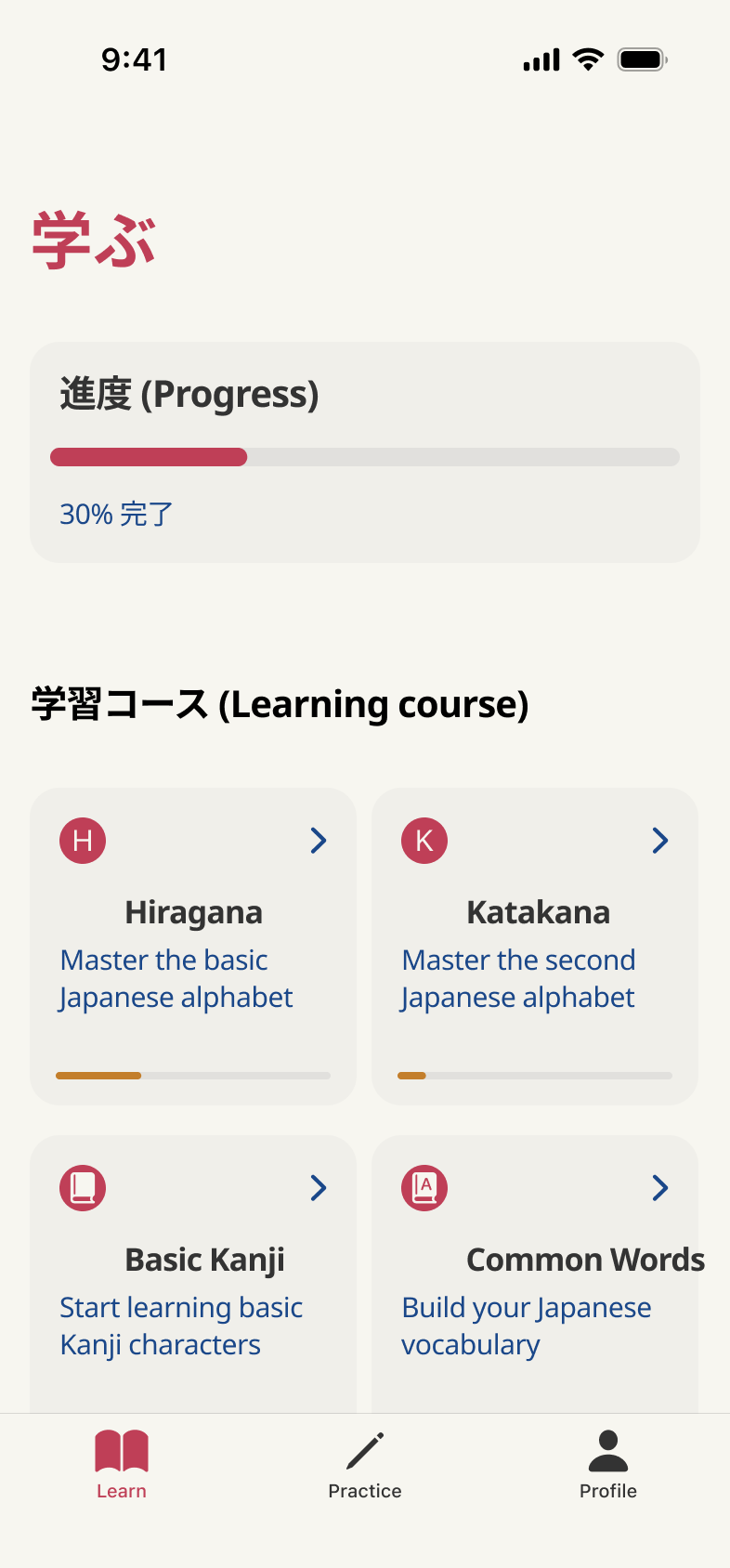
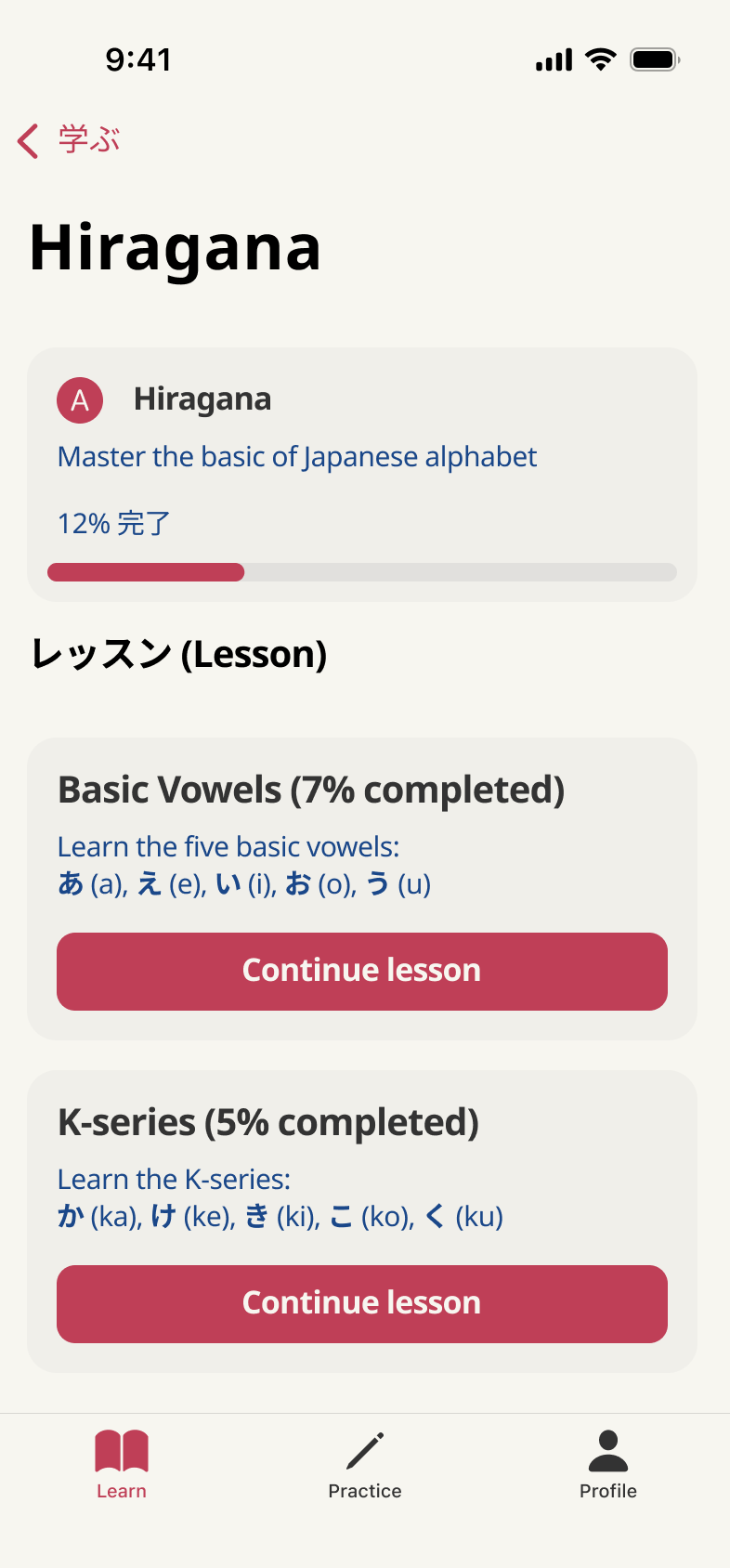
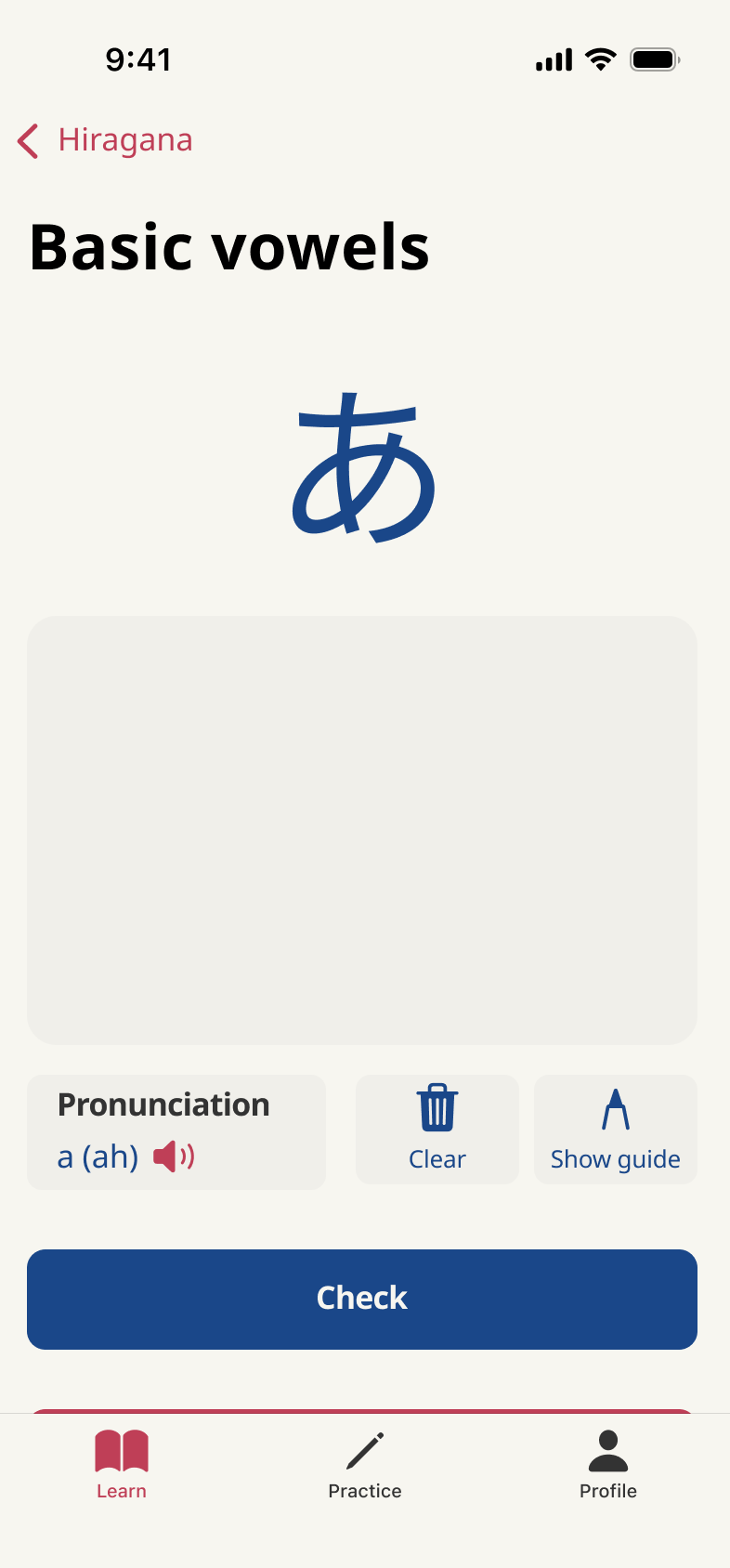
From the learning path to the first stroke

Three screens from the tested prototype: pick a course, pick a lesson, then write.

Key decisions

Four ideas that make it work

Each one answers a finding from the research.

水曜日 Wednesday literally “water day”

Characters in context

Characters never show up alone. They arrive inside real words you can use straight away, so meaning and writing are learned together.

More on this

Example: instead of learning 水 (water) as an abstract shape, you meet it in 水曜日, Wednesday, literally “water day”. Meaning and culture stick together.

1 2 3

Stroke-by-stroke guidance

Each character is broken into numbered strokes with arrows. Drift off course and a gentle haptic nudges you back onto the path.

More on this

Impact: 73% fewer character formation errors than with static instructions in testing.

か ka

Hear it while you write it

Every stroke sequence plays its native pronunciation, so sight, movement and sound reinforce each other.

More on this

Design decision: audio plays automatically during practice. No extra play button to break the flow.

3 new strokes mastered today

Celebrate small wins

No wall of completion percentages. Progress shows up as small, specific wins: “3 new strokes mastered today” or “perfect stroke order on your first try”.

Three rounds, each with more people and a more real prototype.

  • Round 1 • 8 peopleConfirmed the writing-first approach, and showed pronunciation needed to be built in.
  • Round 2 • 12 peopleTuned how strictly strokes are recognised, and added cultural context.
  • Round 3 • 15 peoplePolished the timing of feedback and the light game elements.
More on this
  1. Paper prototypes with stroke-by-stroke guidance, tested with 8 learners. The big insight: people needed to understand why stroke order matters, not just follow it.
  2. I mapped the journey from first meeting a character to mastering it, and landed on four core moments: discovering it in context, watching the stroke order, guided practice with feedback, and seeing progress.

A final usability test with 23 people, after the three design rounds, plus how they used it afterwards.

  • 78/100 usability scoreSystem Usability Scale, above the industry benchmark.
  • 87% back within 48 hoursOf their first session, with 4.2 sessions a week on average.
  • 12-minute sessionsAgainst 5–6 minutes in competing apps.
  • 87% needed no onboardingThey used the core features straight away.
In their words

“For the first time, I understand why stroke order matters. It helps me remember the characters.” Interview participant

“I actually look forward to writing practice now. The app makes me feel like I’m improving, not failing.” Beta tester

93% called the stroke-order system “game-changing” for how they learn.

Reflection

Looking back

Going after a specific gap made for a stronger product than polishing what already exists. Learners knew exactly what they were missing; the apps just hadn’t asked.

The main lesson: confidence is a UX outcome you can measure. Tracking how people felt about their progress, not just what they completed, is what made them come back.

What I’d take to the next project
  1. Treating writing as the foundation, not an advanced skill, met a need vocabulary-first apps ignore.
  2. Even a 2–3 second delay in feedback noticeably hurt learning, so real-time correction became a must-have.
  3. Characters learned inside real words were retained about 40% better than isolated drills.
  4. Designing around the limits of handwriting recognition taught me to bring developers in early.

Thanks for reading